
In short
- A gardening CRM should show what you do for each client, when you last went and what they owe.
- Keep clients and sites as separate records, so each garden has its own notes and history.
- If someone other than the owner can answer a client's call from the record, it's good enough.
Why a sales CRM doesn't fit
Sales CRMs are built around leads, deals and pipelines. Most of a gardening business's money comes from the same clients having the same work done every week or fortnight, so a pipeline view tells you very little.
The record needs to show what you do for this client, when you last went and when you're next due, along with open quotes, unpaid invoices and any maintenance contract. When Mrs Patel rings to check you're still coming on Thursday, whoever picks up should be able to answer from that one screen.
One client, several gardens
The client is who pays. The site is where the work happens. Keeping them apart makes the awkward cases straightforward, like a landlord with four rental houses or a managing agent with three blocks of flats.
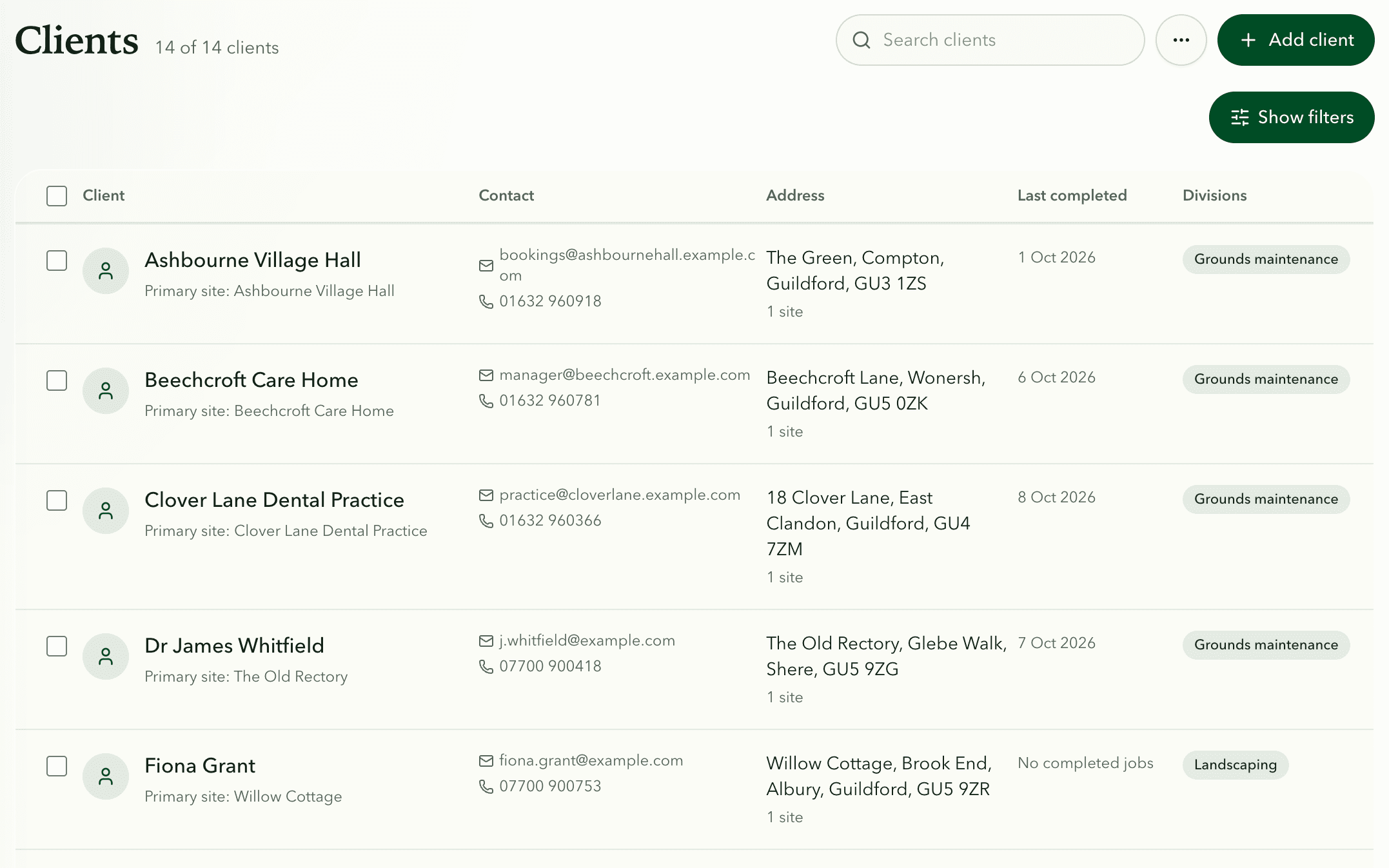
That's how clients and sites are set up in Fieldfare. A client can have as many sites as they need, and each site has its own access, parking and green waste notes, photos and visit history. When a house is sold, the site and its history stay put and the new owner becomes a new client, so whoever goes next still knows about the drain by the back gate.
Fieldfare
Get your client and site notes onto your staff's phones
Notes that reach the person at the gate
A gate code in the office spreadsheet is no use to someone standing outside the gate at 8am. Fieldfare puts the site and client notes on each job in the staff app, so they're read before anyone sets off and nobody rings you from the driveway.
Give each kind of detail an owner. The office keeps contact and billing details right. Staff update the site when something changes, like a new code or a new dog. A photo of where the key is hidden, or of the hedge cut the way the client likes it, saves a paragraph of notes.
- Contact details and who gets the invoice.
- Access, parking and green waste notes for each site.
- The regular visit pattern, open quotes and anything unpaid.
Spot the clients going quiet
Look down the last visit dates every month or so. A client who hasn't had a visit since August may have found someone cheaper, or may just be waiting for you to ring. Fieldfare shows the last visit on every client and flags the ones that have gone quiet, keeping them on file but out of your working list until a check-in before spring.
There are no automated texts or client portal. You carry on ringing and texting clients from your own phone, with their history in front of you.
Quick answers
Can I import my existing client list?
Yes. Fieldfare imports clients from Excel or CSV, so you don't start from a blank page.
What goes on the client and what goes on the site?
The client holds contact and billing details. The site holds everything about the place itself: access, parking, green waste, photos and visit history.
How do I know the records are good enough?
Imagine you're away for two weeks. If someone else could answer a client's call, confirm their next visit and raise the right invoice from the record alone, it's working.