Back to ResourcesSoftware guide

Gardening Business Software for UK Gardeners and Maintenance Teams

What gardening software should actually help with, which workflows matter most, and how to tell when spreadsheets are slowing the business down.

At a glance

  • Good software should connect clients, sites, jobs, quotes, invoices, and field updates in one workflow.
  • Most teams outgrow spreadsheets when repeat work, access notes, and billing start living in different places.
  • The best buying test is to run one normal week through the product, not just compare feature lists.

When software becomes worth paying for

Most gardening businesses cope without specialist software until repeat work, team coordination, and billing start overlapping.

The tipping point is usually not size on paper, but the moment you begin losing time to missed notes, retyping client details, or chasing what actually happened on-site.

The strongest software decisions are usually the ones made around workflow quality rather than feature volume.

A product that is slightly narrower but much clearer often saves more time than one with a longer sales page and a weaker operating model underneath it.

That matters even more in gardening and landscaping because so much of the work is repeat-based.

Small bits of friction get repeated dozens of times a week, which is why loose admin compounds so quickly once the round gets busy.

Why category fit matters

This is also where category fit matters.

A generic field service app may technically handle jobs and invoices, but still feel clumsy if it does not understand repeat maintenance, multiple sites per client, or the level of context a crew actually needs before arriving on-site.

The goal is not to buy the most advanced product on paper.

It is to buy the product that lets the business run a normal week with less retyping, fewer side conversations, and a stronger link between what was sold, what was scheduled, and what was delivered.

What useful gardening software should cover

A solid setup should handle client and site records, recurring and one-off jobs, field notes, photos, quotes, invoices, and team assignments without forcing you into separate tools.

If you still need one system for planning, another for paperwork, and phone calls for the missing context, the software is not really solving the problem.

In practice, that means the system should help with the real handovers that happen every day.

The office should be able to quote work, schedule it, attach the right notes, and trust that the field team will see the same picture without another round of texts or phone calls.

It also means the record should stay useful after the first setup.

If every schedule change, extra visit, or invoice still depends on somebody remembering the backstory, the software is acting more like storage than as an operating system for the business.

What good connected software feels like

A lot of products claim to be 'all in one', but the useful test is whether the same record survives from first enquiry to final invoice without being flattened into a vague job title halfway through.

If the site detail, scope, photos, and access notes disappear as soon as the work is scheduled, the system is still creating hidden admin for the business.

For UK gardening and landscaping teams, this matters because the real work is often repeat-based and site-specific.

One missed note about parking, waste, gate access, or visit timing may look minor in isolation, but when those misses repeat across the week they damage margin, service quality, and customer trust at the same time.

Why Fieldfare

Run the full gardening workflow in one place

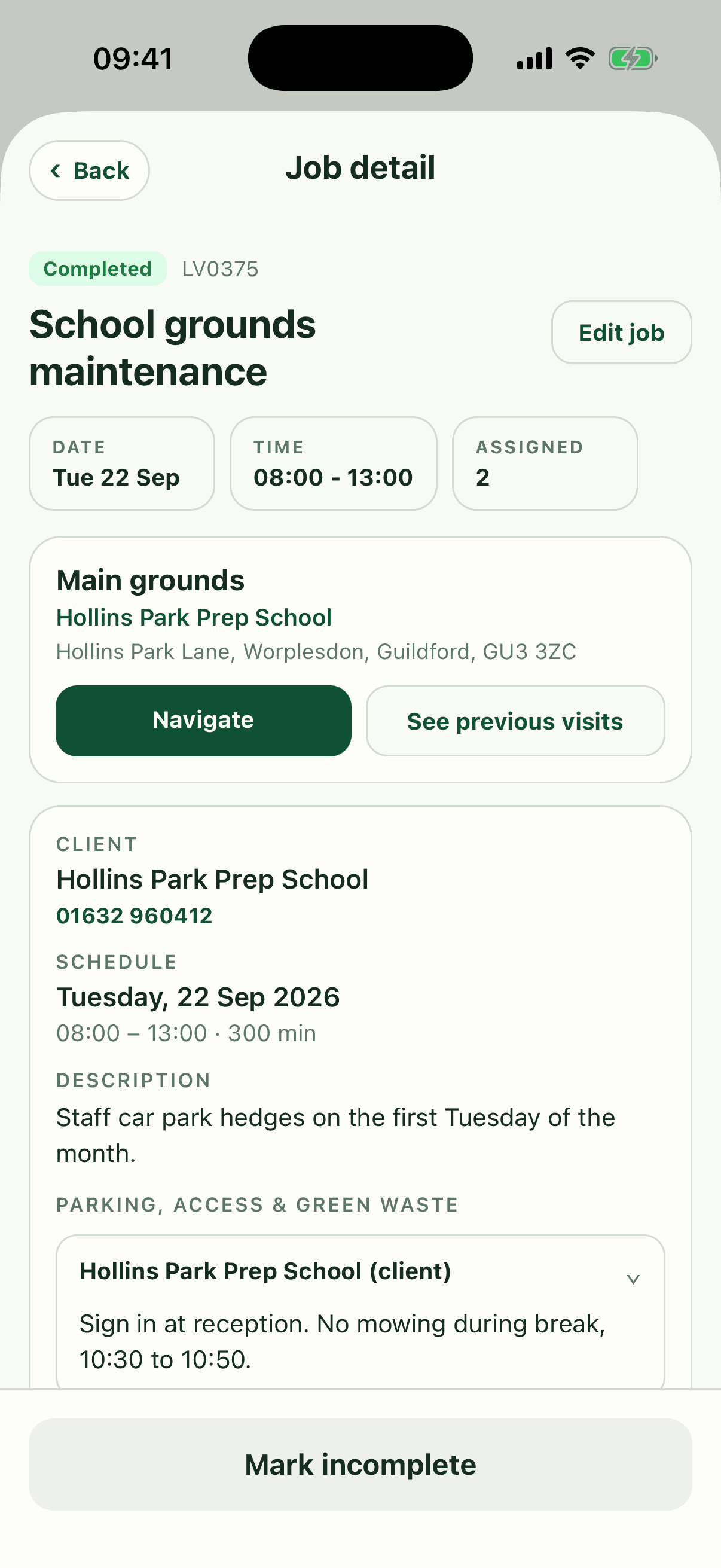
Fieldfare links clients, sites, recurring work, quotes, invoices, and mobile job sheets so the office and field team stay on the same record.

What to compare before you buy

Start with the workflows you repeat every week: building the round, moving one visit, quoting extra work, and invoicing completed jobs.

Products usually look weaker during those everyday handovers than they do on a polished homepage or demo video.

The most revealing comparison usually happens when you stop asking whether the product technically has a feature and start asking how many clicks, workarounds, and side conversations it takes to use it well.

Good software feels calm under normal weekly pressure, not just impressive during a demo.

It is worth involving both the office view and the field view in that test.

A tool can look strong to the person building the schedule but still fail the team if the mobile record is thin, the notes are hard to find, or updates are awkward to send back.

Test the awkward moments, not the polished ones

Another useful question is how the product behaves when something changes after the original plan.

You learn much more from moving one visit, repricing one extra, or reassigning one job than from creating a perfect example that never has to react to reality.

It is also worth looking beyond the first month.

A product can be easy to set up but still weak at scale if recurring work becomes hard to review, historical jobs are awkward to reference, or completed work never flows cleanly into billing and reporting.

  • Run one real client-to-invoice workflow, not just a feature tour.
  • Check both the office workflow and the mobile job experience.
  • Look for the places where notes, extra work, and schedule changes become awkward.

A practical shortlist test

Create one client, add one site, build one recurring job, send one quote, and imagine the team opening that job on their phone later.

If the record stays clear all the way through, the product is probably a better fit than one that only looks good at the scheduling or invoicing stage.

The most revealing comparison usually happens when you stop asking whether the product technically has a feature and start asking how many clicks, workarounds, and side conversations it takes to use it well.

Good software feels calm under normal weekly pressure, not just impressive during a demo.

It is worth involving both the office view and the field view in that test.

A tool can look strong to the person building the schedule but still fail the team if the mobile record is thin, the notes are hard to find, or updates are awkward to send back.

Test the awkward moments, not the polished ones

Another useful question is how the product behaves when something changes after the original plan.

You learn much more from moving one visit, repricing one extra, or reassigning one job than from creating a perfect example that never has to react to reality.

It is also worth looking beyond the first month.

A product can be easy to set up but still weak at scale if recurring work becomes hard to review, historical jobs are awkward to reference, or completed work never flows cleanly into billing and reporting.

  • Run one real client-to-invoice workflow, not just a feature tour.
  • Check both the office workflow and the mobile job experience.
  • Look for the places where notes, extra work, and schedule changes become awkward.

Common questions about gardening business software

Do small gardening businesses really need software? Usually not on day one, but they often need it earlier than they expect.

The real trigger is when repeat work, client notes, quotes, and invoices start overlapping often enough that memory and spreadsheets stop feeling dependable.

What is the biggest sign the current setup is breaking down? It is usually not one dramatic failure.

It is the steady drip of retyping, missed context, slower billing, and jobs that depend on phone calls to explain what should already be obvious from the record.

Is free or generic software enough? Sometimes for a very small solo setup, yes.

But the more site-specific and repeat-based the work becomes, the more valuable it is to have a system that understands the actual workflow rather than just storing contacts and appointments.

Why Fieldfare

Run the full gardening workflow in one place

Fieldfare links clients, sites, recurring work, quotes, invoices, and mobile job sheets so the office and field team stay on the same record.