
In short
- Keep clients, jobs and invoices in one place, and agree that if it isn't there, it didn't happen.
- Give admin fixed slots in the week instead of fitting it in when you can.
- Close every job on the day it's done, with notes and photos, so invoicing is easy.
Pick one place for the records
In most small gardening businesses the records are spread across a paper diary, a client spreadsheet, the invoicing app, the owner's phone and a staff group chat. Each is partly right, and nobody knows which to trust.
Pick one place for clients, jobs and invoices, and agree with everyone that if it isn't in there, it didn't happen. If you're weighing up software for it, start with our guide to gardening business software in the UK.
Give admin a fixed slot
Admin squeezed in whenever there's time ends up done on a Sunday night, or not at all. The exact days matter less than having them.
- Monday morning: check the week, sort out sickness and weather, confirm who is where.
- Every day: five minutes on today and tomorrow.
- Friday: close off finished jobs, raise invoices, glance at next week.
- Monthly: chase overdue payments and review open quotes.
Fieldfare
Get your clients and jobs out of the diary
Close every job on the day
A finished job should be marked done, with notes, photos and any extra work recorded before staff leave the site. That's what the office needs to invoice, and it's far harder to piece together a week later.
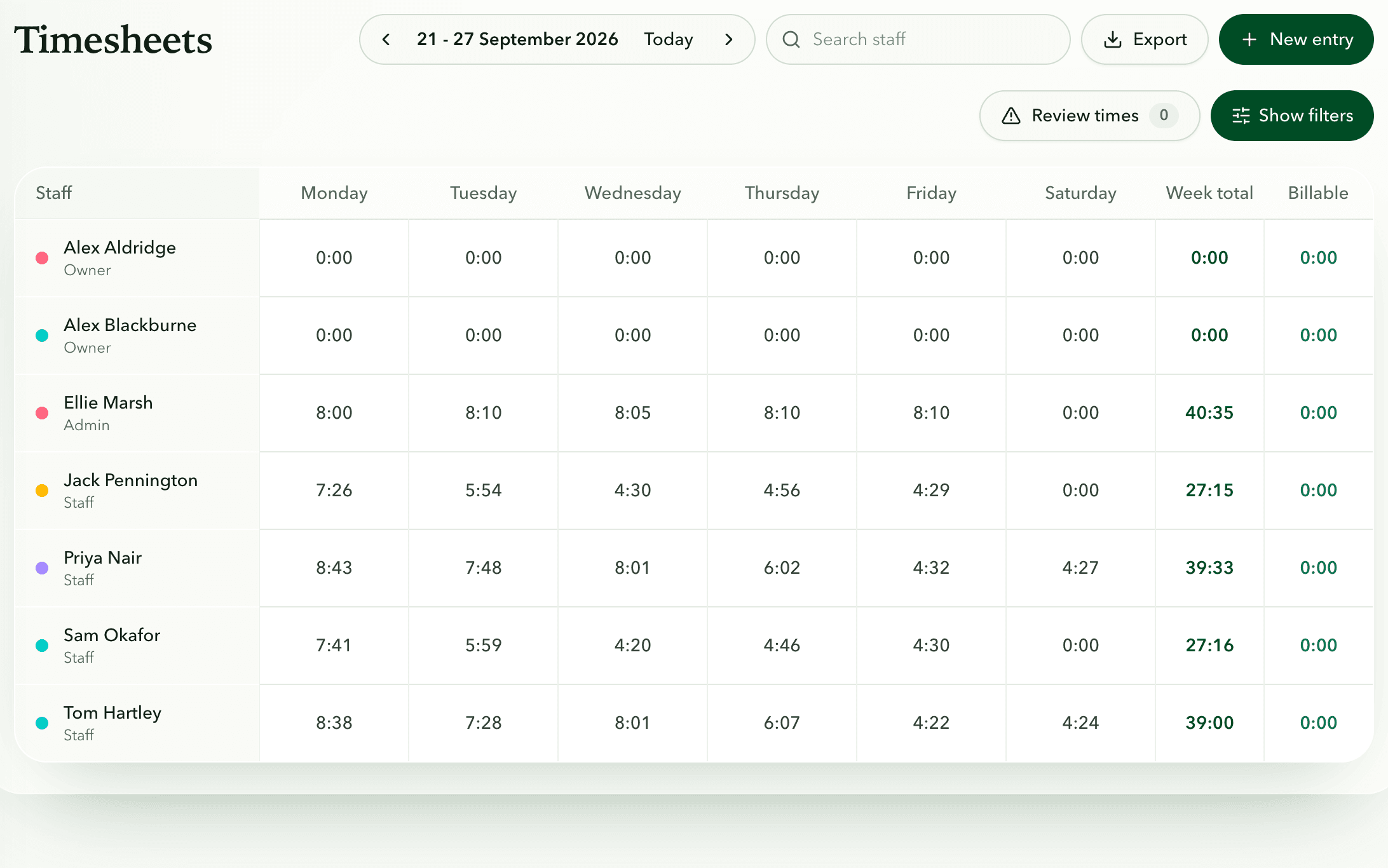
If it takes more than a minute, it won't happen. With Fieldfare, staff clock in and out on their phone, add a photo of the finished border and mark the job done before they get back in the van. By Friday the timesheets are built from that clocking, with odd times flagged, and the payroll export is ready.
Look at what's piling up
When the business feels disorganised, look at the piles: quotes not yet turned into work, jobs with nobody assigned, timesheets waiting to be checked, finished work not yet invoiced. Note how long the oldest item in each has waited. A quote accepted three weeks ago with no date booked is the one to ring about today.
Van paperwork and holidays tend to surface at the worst moment. Fieldfare flags each van's MOT, tax, insurance and service dates, and puts everyone's holidays on one calendar with the bank holidays for your part of the UK, so you see two people off in the same week before the work is booked.
If one pile keeps growing, give it to one person with a fixed time in the week to clear it.
Getting started
What should I organise first?
Your client and site list, then the recurring schedule, then invoicing. Those three carry most of the week, and getting them into one place removes most of the double entry.
Do I need an office person?
Not at first. Many owner-operators manage with an hour or two a week if it happens at fixed times. Hire help once admin regularly eats into days you could be billing.
How long does it take to move into Fieldfare?
Import your clients from Excel or CSV, then set up each regular visit once and its dated jobs appear on the calendar. Most of the time goes on checking your site notes are right, which is worth doing anyway.