
In short
- Every time a quote is retyped into a diary, detail gets lost.
- Write quote lines that staff can work from, and record site details at the survey.
- Keep the quote, job and invoice on one record so billing is a quick check.
How 'hedge, Mrs Patel' ends up in the diary
The quote says 'reduce hedge by 1m, remove all waste, client to move car from drive'. The diary says 'hedge, Mrs Patel'. Whoever turns up has none of the detail, so they phone the office or guess.
It happens whenever someone copies from the quote into a separate schedule. Make the accepted quote the start of the job and nothing gets copied.
Write each quote line as an instruction
One line, one piece of work, priced on its own and worded so the client understands it and staff can act on it: 'cut back and shape laurel hedge along front boundary'. That line becomes the work list on the job.
Note access, parking, where waste goes and any hazards at the survey, while you're standing there. Nobody remembers them three weeks later.
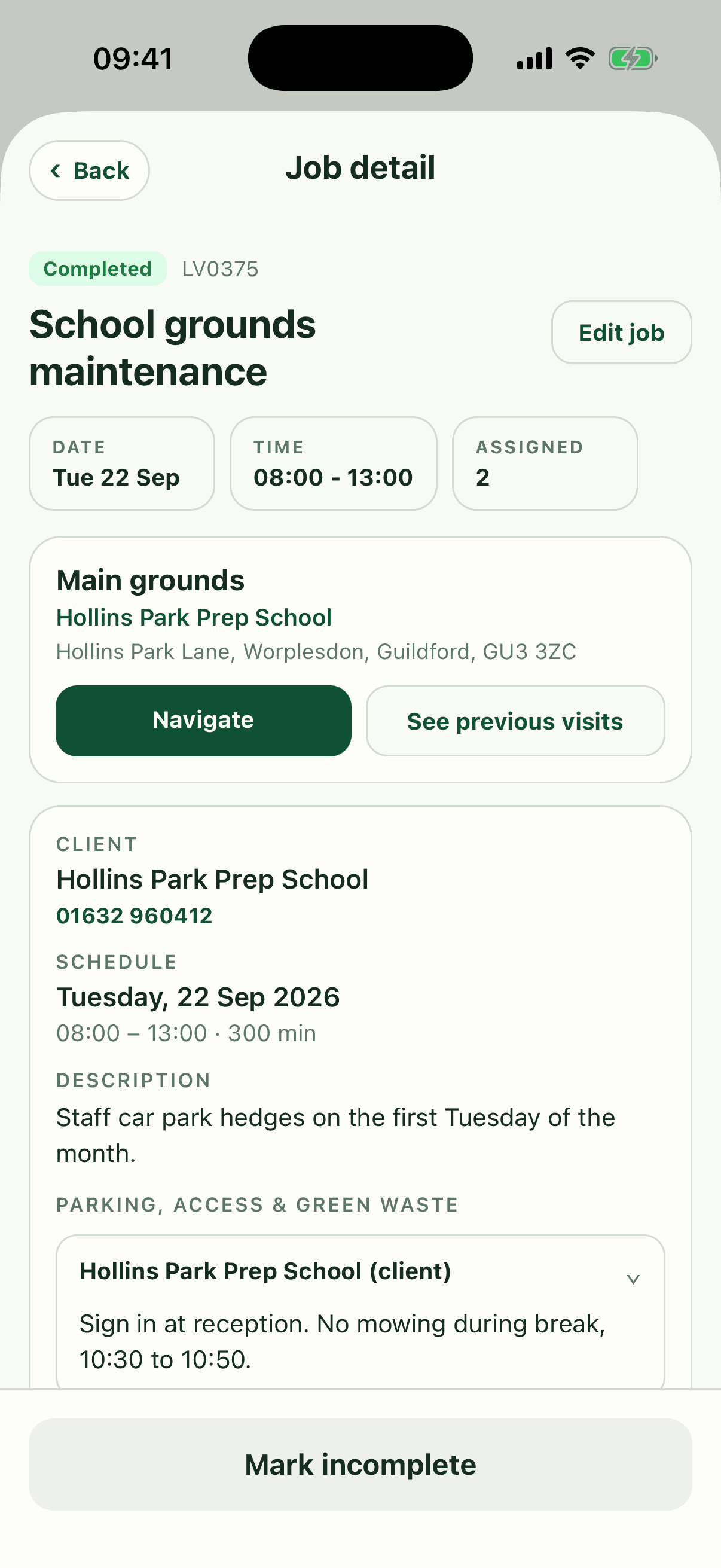
Put those notes on the site in Fieldfare and they show on every job at that address, on the phone of whoever is going. Next March's spring tidy turns up with the gate code already on it.
Book it the moment they say yes
Create the job as soon as the quote is accepted, even if you can't schedule it yet. The details are fresh and nothing sits in an inbox waiting to be remembered.
Once a quote is marked accepted in Fieldfare, you create the job from it with the client, site and work already filled in, and all that's left is to drag it onto a day.
For regular maintenance, set the work up as a recurring job with the agreed frequency and day. Each visit then appears on the calendar as its own dated job, and moving one for a wet Thursday leaves the rest alone.
Fieldfare
Book accepted quotes in without retyping them
When the job grows on site
The client asks you to clear the shed roof while you're there, or the stump is twice the size you expected. On the Fieldfare app staff add a field note and a photo to the job there and then, and the office prices the extra before the invoice goes out.
For anything bigger, agree the price before doing the work. A reply to a text is enough, and it saves an argument when the invoice arrives.
One record from quote to invoice
When the quote, job and invoice point back to the same client and site, billing is a quick check of what's already there. The invoice is the accepted quote lines plus any agreed extras.
- Quote accepted: the job is created with the same client, site and work.
- Job scheduled: staff see the work and site notes on their phone.
- Work done: extras, notes and photos are added to the job.
- Invoice raised: quote lines plus extras, checked and sent.
Questions about booking accepted quotes
Should every quote become a job straight away?
Every accepted one should. Create the job the same day, even if it won't be scheduled for weeks.
What if the client only accepts part of the quote?
Book only the accepted lines and note that the rest was declined. The job and the invoice then match what the client agreed.
Can Fieldfare email quotes to clients?
No. You download the quote as a PDF and send it from your own email, so it comes from you and lands in a conversation the client already recognises.
How do I handle a quote for weekly or fortnightly work?
Treat the acceptance as the start of a regular round. Set up the recurring job with the agreed frequency and work, and every future visit carries the same detail.